Setup Nextcloud with Ceph RGW
To store files and stuff except photos, I use Nextcloud (although it can be an overkill if you don't plan to use it for all it's features). There needs to be an app or platform like Ente Photos that provides the minimal functionality of Google Drive without the heavy baggage of a fully blown Cloud system like Nextcloud. (Atleast, I was not able to found any). Until we have that, Nextcloud is the best option.
Portainer can be used to install and manage Nextcloud using templates provided by Pi-hosted. Refer here to read more.
Installation of Portainer
-
Run install-docker.sh, to install docker if not already, and add the current user to the docker usergroup.
wget -qO- https://raw.githubusercontent.com/pi-hosted/pi-hosted/master/install_docker.sh | bash -
After a reboot, run install-portainer.sh, to install Portainer.io
wget -qO- https://raw.githubusercontent.com/pi-hosted/pi-hosted/master/install_portainer.sh | bash -
Login to Portainer to update the App Template.
- Goto pi-ip:9000. Setup Username and Password and login
- Click Settings, in the bottom-left corner, and paste the below Portainer v2 json file link into the
“App Templates” box.https://raw.githubusercontent.com/pi-hosted/pi-hosted/master/template/portainer-v2-arm64.json - You’re done! Now you can deploy applications!
Installation of Nextcloud
-
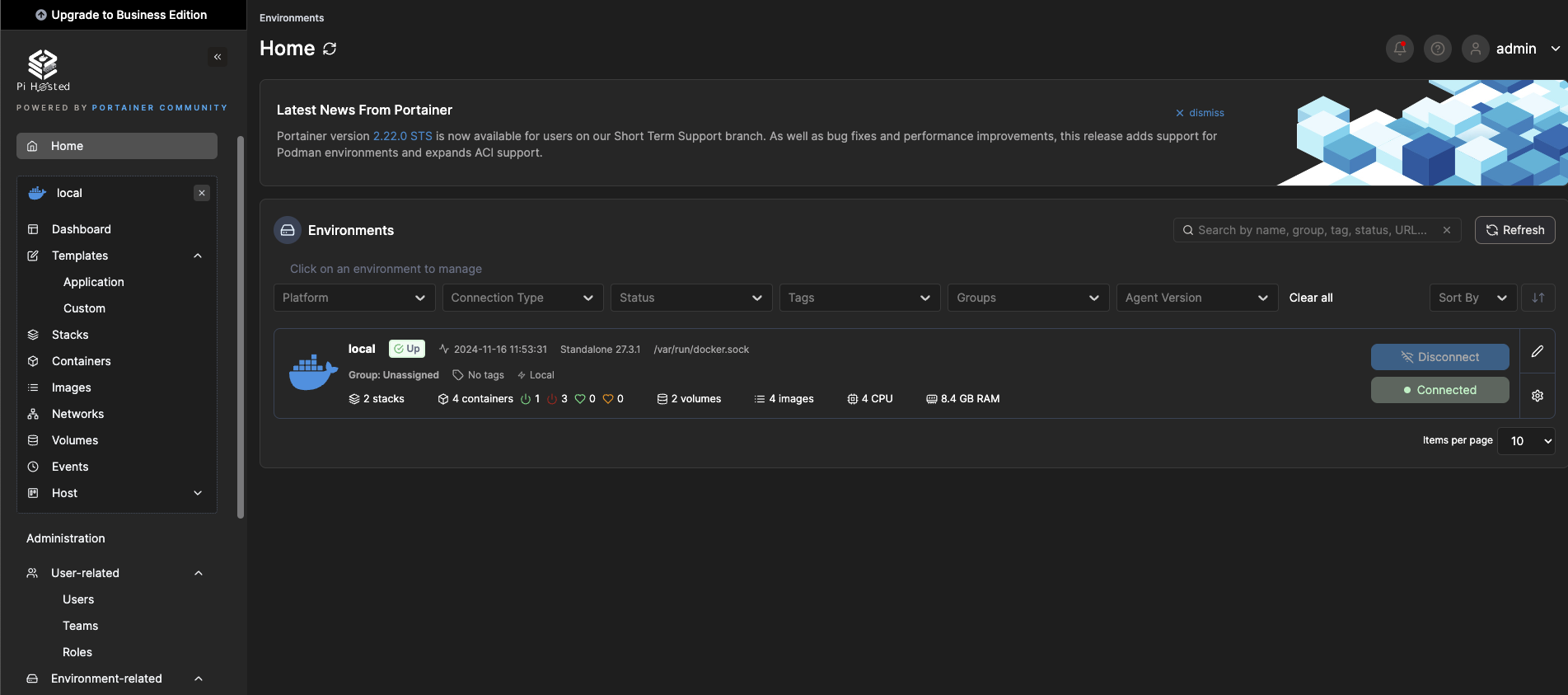
Login to Portainer pi-ip:9000 and go to Home >> Environments >> click on "Local"
-
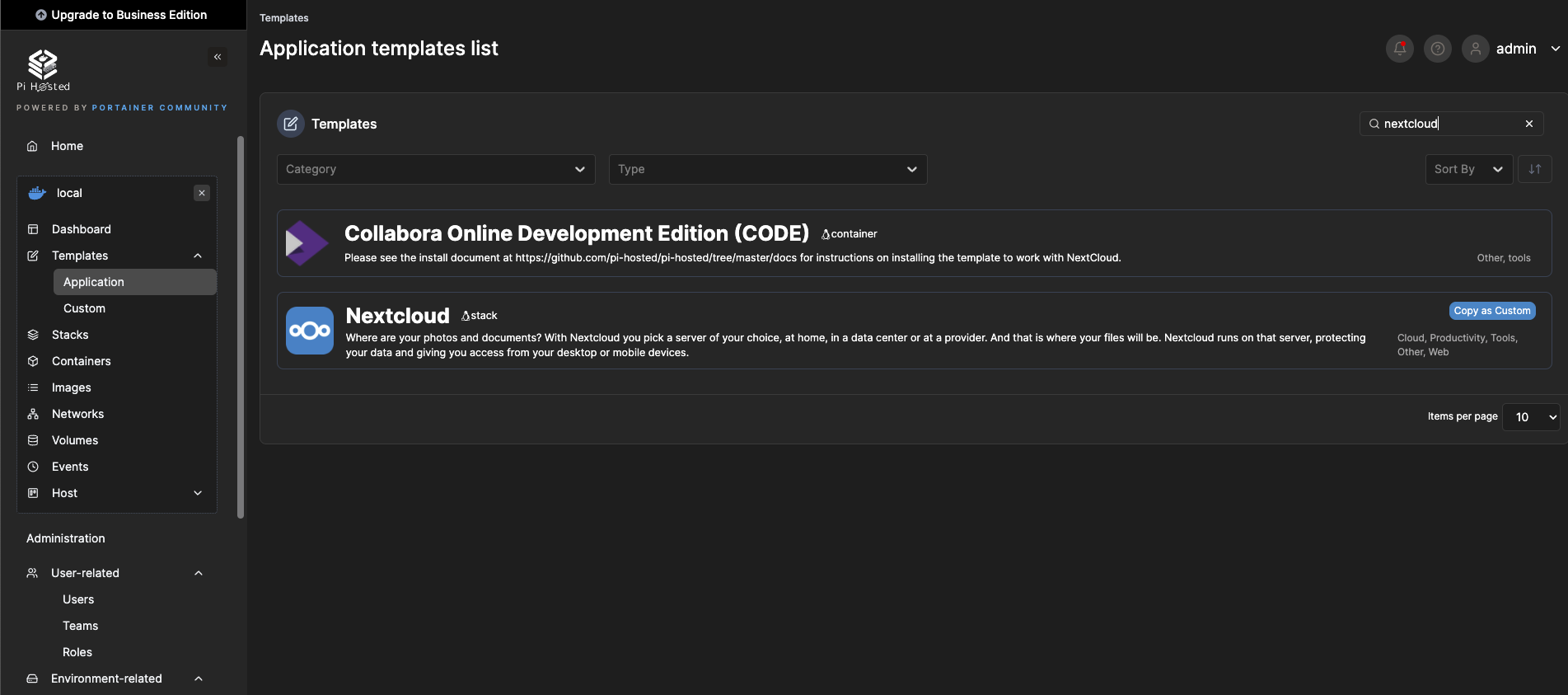
In the left box, select Templates >> Application and search for NextCloud and select it
-
Fill the fields, for example
- Database_password -> pa$$word
- MySQL_root_password -> pa$$word
- port -> 5443
-
Click on Actions >> Deploy the Stack. Wait for deployment to complete
-
Goto Environments > Containers, you will see 2 Nextcloud containers running
-
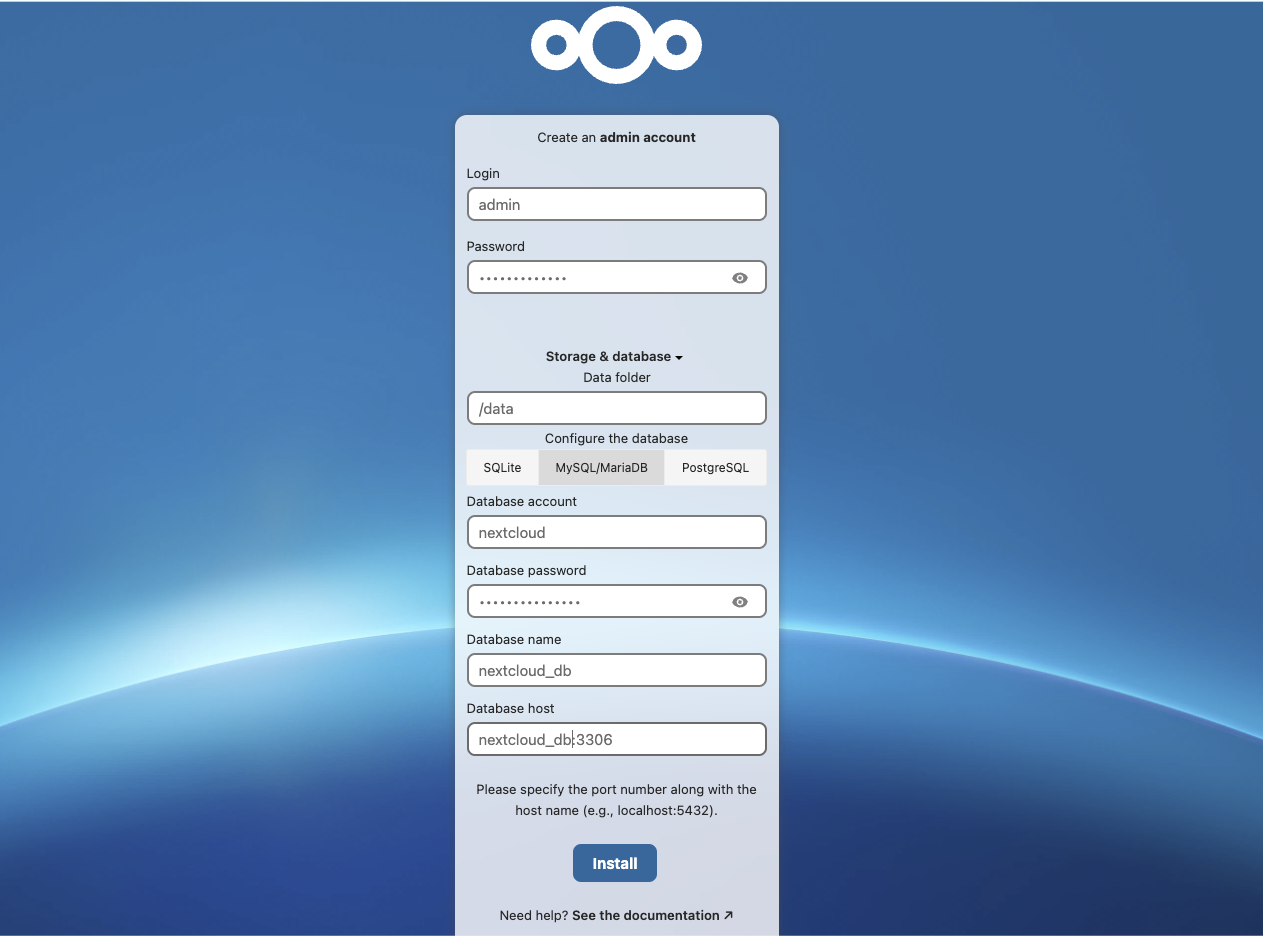
Login to Nextcloud GUI pi-ip:port, for example https://rpi3:5443 and create an admin account
-
Choose the required apps (try to keep it minimal)
Setup RGW S3 as primary storage
-
Create a new bucket from Ceph dashboard. Refer here
-
From the Raspberry Pi node, open Nextcloud config file, the path is
/portainer/Files/AppData/Config/Nextcloud/Config/www/nextcloud/config/config.php -
Add below configuration to the file, replace the RGW endpoint and bucket details as required
'objectstore' => [
    'class' => '\\OC\\Files\\ObjectStore\\S3',
    'arguments' => [
      'bucket' => 'bucketname',
      'hostname' => 'IP',
      'key' => 'access_key',
      'secret' => 'secret_key!',
      'port' => port,
      'use_ssl' => false,
      'use_path_style' => true,
    ],
You can find a sample config.php here
-
Restart the Nextcloud container from Portainer GUI and that's it!
-
Upload files and verify it's getting added to RGW backend.